Line Rush on EaseGame: How to Customize Difficulty and Style with AI
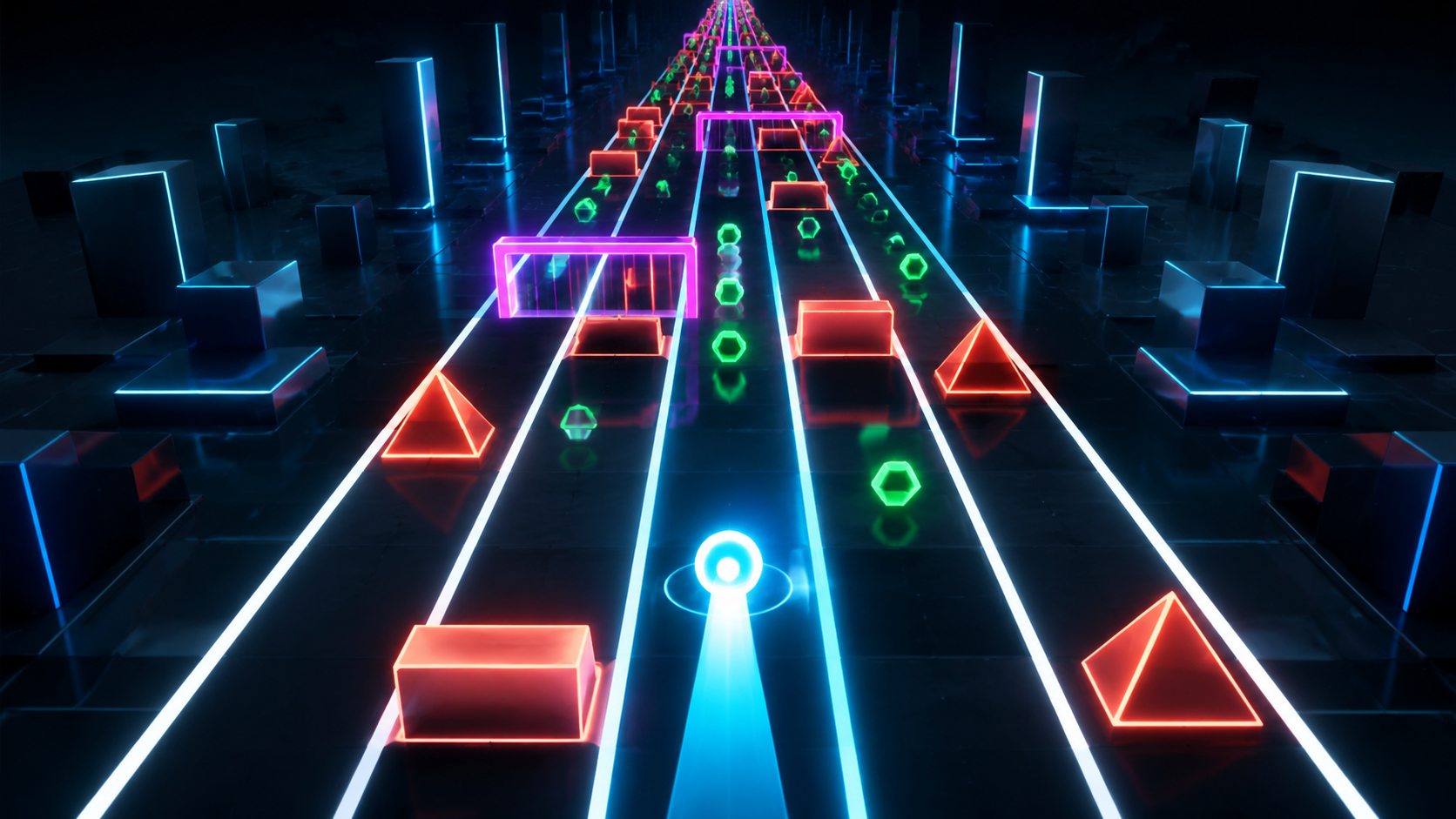 Tutorial concept art | Replace with verified template capture
 Copy the starter prompt
Keep the first request focused on movement, obstacles, and survival.
Create a neon lane-running game where the player switches lanes to avoid obstacles, collects coins, and survives for 60 seconds.
Reference prompt. Results may vary. Test it in the current EaseGame creator before treating it as a verified output.
What you'll build
You will create a one-minute runner with predictable lane changes, staged obstacle patterns, two speed increases, collectible combos, and a visual layer that does not reduce readability.
- Four-lane movement
- Three difficulty phases
- Single and double barrier patterns
- Pickup and combo scoring
- Keyboard and touch input
- Readable neon visual system
Build it step by step
Verify the template controls
Open Line Rush and confirm its actual lane count, movement, objective, and failure rule before applying this draft.
Stabilize lane changes
Make one input equal one lane move and block movement beyond the outer lanes.
Design the opening phase
Use slow speed, single barriers, and generous recovery space so players can learn the control.
Add two difficulty changes
Increase pattern density or speed at defined times, but do not change both aggressively in the same phase.
Separate style from collision
Change palette and effects while keeping lane edges, hazard silhouettes, and collision areas readable.
Test the complete minute
Check every lane, pattern phase, pickup combo, collision, timeout result, touch control, and restart action.
Troubleshooting
One tap moves across several lanes
Debounce the input so each key press or tap produces exactly one lane change.
Patterns leave no safe route
Validate every pattern and guarantee at least one visible safe lane before it reaches the player.
Visual effects hide obstacles
Reduce particles and glow around hazards while preserving high-contrast lane boundaries.
Difficulty jumps too quickly
Change either speed or pattern density at a milestone, then play-test before increasing the other variable.
Make it your own
- Create a color-match mode where the safe gate matches the player color.
- Use a 30-second beginner course with no combo scoring.
- Add moving pickups without changing obstacle patterns.
- Create a two-player split-control race after the solo run is stable.
Quality checklist
- The live template matches the lane-runner assumptions.
- One input moves exactly one lane.
- Every obstacle pattern has a visible safe route.
- Difficulty changes at clear milestones.
- Style changes preserve collision readability.
- Score, combo, timer, failure, and restart work.
Line Rush FAQ
Is the Line Rush prompt tested on the current template?
Not yet. This draft assumes a lane-based runner because the live template details were unavailable. Confirm the current lane count, controls, hazards, scoring, and failure rule before publishing it as a verified EaseGame tutorial.
How should Line Rush difficulty increase?
Use clear phases. Start with slower single barriers, introduce two-lane patterns after the control is learned, and raise speed later. Always leave a visible safe route and avoid changing speed and pattern density too aggressively at the same moment.
Can I change the art style without changing gameplay?
Yes. Ask for palette, background, and effect changes while explicitly preserving lane positions, obstacle silhouettes, collision sizes, speed, pattern timing, scoring, and controls. Retest visibility after every visual revision.
What controls work best on mobile?
Use two large left and right buttons below the game. One tap should move one lane, and rapid taps should not push the player past the outer lanes. Keep score and time visible without covering hazards.
How do I prevent impossible obstacle patterns?
Define a pattern rule that always leaves at least one safe lane. Test every pattern at each speed level and check that the safe lane becomes visible early enough for a normal reaction.
Customize Line Rush without losing clarity
Lock the lane logic first, stage the difficulty curve, and treat visual style as a separate testable layer.