Easegame
Beginner game creation path

AI Game Maker for Beginners

EaseGame is an AI game maker for beginners who want to turn a small idea into a playable browser game without starting from code. Describe one mechanic and objective, generate the first version, test the controls and rules, and refine one problem at a time.
  • No manual coding required
  • Six editable templates
  • Playable in the browser
  • Step-by-step tutorials
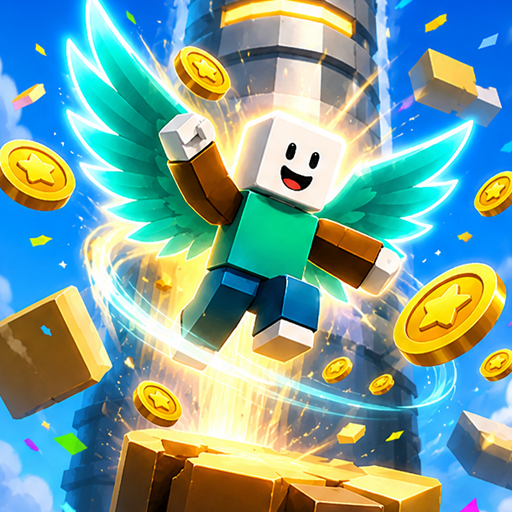
Sky Ascend beginner-friendly EaseGame template
Beginner starting pointOne short playable loop

Generate, test, and improve one behavior at a time.

Choose a first project

The best beginner game is small and observable

Pick a loop you can understand, complete, and restart quickly.

Recommended

Lane runner

Move between lanes, collect pickups, avoid barriers, and survive for a target score.

Easy to test: movement, collision, score, speed.
Recommended

Arcade shooter

Move in a compact arena, fire at targets, survive short waves, and restart after defeat.

Easy to test: aiming, enemy timing, health, waves.
Recommended

Simple puzzle

Move pieces or activate objects in the correct order to unlock a visible exit.

Easy to test: rules, state changes, success condition.
Beginner path

Create your first AI game in five decisions

  1. 01

    Choose one repeated action

    Move, jump, aim, dodge, collect, connect, or solve.

  2. 02

    Choose one objective

    Reach a finish, survive a timer, collect a target, or solve a puzzle.

  3. 03

    Define controls and feedback

    Name the keys or touch actions and show score, health, progress, or time.

  4. 04

    Generate and complete one run

    Do not add more features until success, failure, and restart all work.

  5. 05

    Fix one issue at a time

    Use a focused follow-up prompt and retest the affected behavior.

Editable starting points

Begin with an EaseGame template

Templates provide an existing gameplay framework. Edit the rules, difficulty, and style instead of requesting every system from scratch.

Avoid scope problems

Four common beginner mistakes

Starting with a huge worldBuild one short level or arena first.
Requesting every feature at onceAdd systems after the core loop is playable.
Changing several variables togetherSeparate controls, difficulty, rules, and visuals.
Stopping after generationPlay success, failure, and restart before sharing.
Guided practice

Use the complete beginner tutorial

Follow the EaseGame workflow from a small prompt through generation, play-testing, focused revisions, quality checks, saving, and sharing.

Open the Step-by-Step Tutorial
Questions

AI Game Maker for Beginners FAQ

Yes. EaseGame is designed to turn natural-language game ideas into initial playable browser games, so beginners do not need to start by writing code. You still need to choose a manageable concept, test the result, and explain focused changes to controls, rules, difficulty, or visuals.
Start with a lane runner, compact arcade shooter, short platformer, or simple puzzle. Use one repeated action, one control scheme, one objective, one obstacle family, visible feedback, and one ending. A small complete loop teaches more than a large unfinished concept.
No previous game design experience is required, but basic decisions still matter. Define what the player repeatedly does, what creates challenge, how progress is shown, and how the game ends. EaseGame can generate code, but it cannot choose every design tradeoff for you.
Use a prompt when you have a small original mechanic. Use a template when an existing EaseGame game already has the type of movement, camera, or gameplay framework you need. Templates reduce setup work, while prompts give you more control over the first concept.
Play one complete round and write down the first visible problem. Request one measurable change, such as slower movement, wider platforms, clearer hazard colors, or checkpoint recovery. State what should remain unchanged, generate the revision, and test the same situation again.

Start with one small playable idea

Define one action, one objective, and one ending before adding more systems.
Create Your First Game