Sprint Runner Unblocked
How fast can you tap? Race the 100-meter dash by hammering left and right to build speed and cross the finish line first - 100% free, no download.
What Is Sprint Runner?
Sprint Runner is a classic 100-meter dash game where your fingers do the running. Originally created by Gamedesign.jp as a beloved Flash game, it has been reborn as an HTML5 title so you can play it right in your browser. The concept is brilliantly simple: hammer the left and right arrow keys alternately to build momentum. The faster and more rhythmically you tap, the quicker your sprinter charges down the track. Mistime your taps and your runner stumbles, giving your opponents the edge they need to pull ahead.
What makes Sprint Runner so addictive is the direct physical connection between your tapping speed and your on-screen performance. Every race is a real test of hand speed and rhythm - no upgrades, no power-ups, just raw finger power. As you progress through the levels, your opponents get faster and the margin for error shrinks, demanding sharper timing and faster tapping to keep your winning streak alive.
On this page you can play Sprint Runner unblocked directly in your browser. There is nothing to install and no account required - just click play and start tapping your way to the gold medal.
How to Play Sprint Runner
Sprint Runner uses two keys and one rhythm. Tap them alternately to build speed and sprint to victory.
Game Features
Sprint Runner proves that the best games do not need complex controls:
- Pure speed-based gameplay - your tapping speed directly determines how fast you run.
- Progressive difficulty - opponents get faster each level, pushing you to tap quicker.
- Multiple race environments from local school tracks to packed Olympic stadiums.
- Instant restarts - lose a race and jump straight back in for another attempt.
- Classic Flash-era design reborn in HTML5, running smoothly on any modern browser.
- Works on Chromebooks, laptops, and desktops with a keyboard.
Pro Tips to Run Faster
- Use two fingers on two keys instead of one finger switching - it is much faster and more consistent.
- Find a steady rhythm rather than going all-out chaotic - smooth alternation beats frantic mashing.
- Watch your runner, not the keys - if you see them stumble, adjust your rhythm immediately.
- Practise on early levels to build muscle memory before tackling faster opponents later on.
- Keep your wrists relaxed - tense fingers tire out fast and lose rhythm on longer sessions.
Sprint Runner Gameplay Video
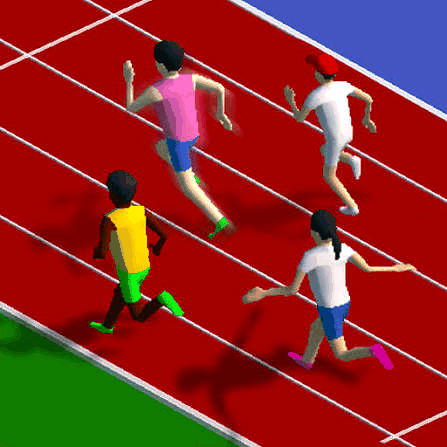
100M Sprinter gameplay - extreme finger tapping action.
Play Sprint Runner Unblocked at School
Sprint Runner runs as a lightweight HTML5 game, so it loads straight in your browser with no downloads, plugins, or installs. That means you can play it on locked-down school and office Chromebooks that block heavier gaming sites - no VPN, no proxy, and no workarounds needed.
Because it is fully browser-based, Sprint Runner plays the same on a school laptop, a library computer, or your desktop at home. Just open this page, hit play, and the starting gun fires in seconds.



Frequently Asked Questions
Is Sprint Runner free to play?
Yes. Sprint Runner is completely free. All levels and race environments are available at no cost, with no purchase required.
Can I play Sprint Runner unblocked at school?
Yes. This page runs Sprint Runner as an HTML5 browser game, so it loads on most school and work networks without a VPN, proxy, or download.
Do I need to download Sprint Runner?
No download or install is needed. Sprint Runner plays instantly in your browser on Chromebooks, laptops, and desktops with a keyboard.
How do you sprint faster in Sprint Runner?
Tap the left and right arrow keys alternately in a steady rhythm. The faster and more consistently you alternate, the quicker your sprinter runs. Use two fingers instead of one for maximum speed.
What are the controls for Sprint Runner?
Use the left and right arrow keys, tapped alternately. Tap left then right then left then right in a rhythm - each tap is one stride, and faster tapping means faster sprinting.