

BONELAB: Spider — How to Turn Your VR Sandbox Into a Real Web-Slinging Simulator
You've seen the videos. Someone in a VR headset, hands outstretched, swinging between buildings like they crawled out of a Marvel movie. No HUD. No auto-targeting. Just physics, momentum, and the very real possibility of face-planting into a skyscraper at 40 miles per hour.
That's BONELAB's Spider-Man mod scene. And if you've tried jumping in without a guide, you probably spent more time troubleshooting than swinging.
This guide skips the fluff. By the time you finish reading, you'll know exactly which mods to grab, how to set them up, and how to avoid the five mistakes that make most people quit before they ever land a clean swing.
What You'll Need
Before we touch a single mod, let's get realistic about hardware.
VR Headset. Any PCVR headset works — Valve Index, HTC Vive, Meta Quest via Link/Air Link, Pico 4, Bigscreen Beyond. The Quest standalone version of BONELAB supports mods, but performance ceilings are lower and some city maps will struggle. If you're on Quest native, stick to optimized maps (I'll recommend some below).
PC Specs. BONELAB's physics engine is CPU-hungry. A GTX 1070 is the realistic floor for smooth swinging at 90 FPS. Below that, you're looking at reprojection or lowered settings. 16 GB RAM minimum. Your CPU matters more than you think — physics calculations for web lines, collision, and avatar movement all hit the CPU hard.
BONELAB. You need the full game on Steam or Meta PCVR. The mods we're installing work with Patch 6 (the current version as of mid-2026). If you're on an older patch, some mods won't load — we'll cover that in troubleshooting.
Mod Loader. BONELAB's built-in mod.io integration handles most things, but the Spider-Man mods with physics-based webs need a code mod loader. We'll set that up in Step 1.
Step 1: Install MelonLoader
This is where most people bounce off. It's not complicated, but skipping a step here means nothing works and you won't know why.
MelonLoader is the code mod loader that lets Spider-Man mods inject custom physics behaviors — web lines, wall crawling, swing arcs — into BONELAB. The official mod.io browser inside BONELAB only handles maps, avatars, and simple assets. Code mods need MelonLoader.
- Download the MelonLoader installer from the official GitHub (version 0.6.1 or newer).
- Run
MelonLoader.Installer.exeand point it at yourBONELAB.exe— typically inSteam\steamapps\common\BONELAB\. - Select the latest stable version and hit install.
- Launch BONELAB once. MelonLoader will generate config files and a
Modsfolder in your BONELAB directory. Close the game once you see the console window pop up alongside it. - Verify: you should now have a
Modsfolder inside your BONELAB install directory.
That's it. If the console window appears when you launch BONELAB, MelonLoader is working. If not, re-run the installer and double-check you pointed it at the right .exe.
Step 2: Grab the Core Mod Stack
You need three things for a working Spider-Man experience: an avatar, a web-shooter, and somewhere to swing. Here's the current best-in-class setup as of June 2026.
SpiderLab — The Web-Shooter
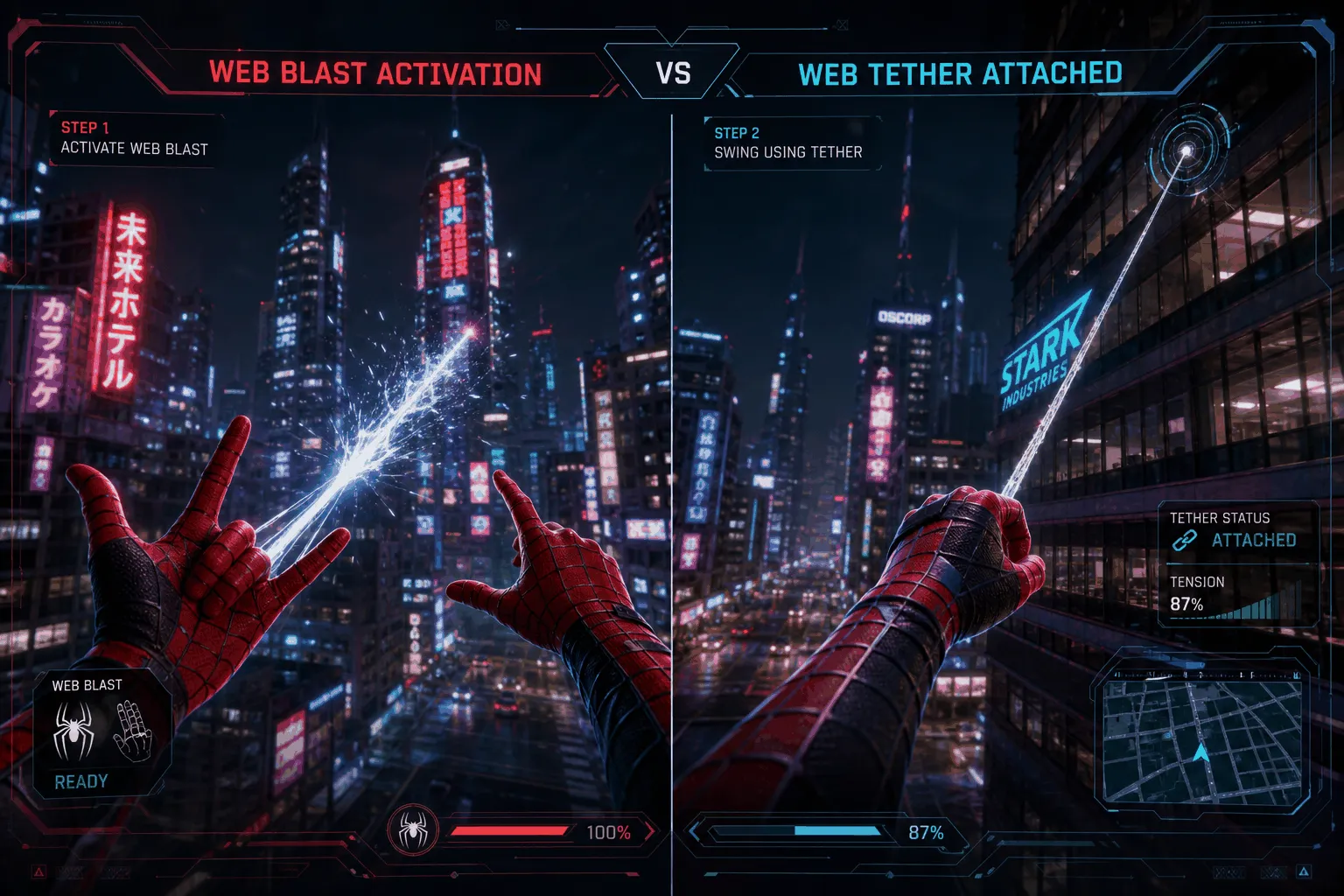
SpiderLab by Parzival is the gold standard. It's not just a web-shooter — it's a full physics overhaul that gives you wall crawling, web swinging, web zipping, mid-air control, and proportional strength/agility across all avatars.
Where to get it: Search "SpiderLab" on Thunderstore or install through the Thunderstore Mod Manager. Do not use the mod.io version — it's stripped down and lacks wall crawling.
Installation: If using Thunderstore Mod Manager, install with one click. If installing manually, drop the SpiderLab .dll file into BONELAB\Mods\. You'll also need BoneLib — SpiderLab's dependency — which handles the menu integration and keybind system.
Key features:
- Web swinging with real physics (web attaches to surface, you arc based on length, angle, and momentum)
- Web zipping — fling yourself directly toward the web anchor point
- Wall crawling on any surface, any angle
- Proportional stats — a heavy mech avatar won't swing like Spider-Man
- Configurable cooldowns, reticle toggle, haptic feedback
- Gesture-based activation: make the Spider-Man hand sign (🤟) with finger tracking, or use double-trigger / double-touchpad on standard controllers
The Right Spider-Man Avatar
The avatar matters mechanically, not just cosmetically. BONELAB's avatar system assigns real physical stats — weight, strength, agility, climb speed — and those numbers directly affect how your web-swinging feels.
Search mod.io or Thunderstore for "Spider-Man avatar" and grab the most downloaded one. Look for avatars with:
- Light body weight (fast acceleration, responsive swinging)
- High agility stats (quick direction changes)
- Good climb speed (wall crawling feels snappy, not sluggish)
Avoid heavy or bulky Spider-Man variants (like mech-suit Spideys) unless you want a completely different swing feel. The classic suit avatars consistently deliver the best physics profile.
City Maps Worth Swinging In
The base BONELAB campaign takes place in labs and industrial corridors — nowhere you'd want to web-swing. You need a custom map. Here are the ones worth your time:
| Map | Best For | Performance |
|---|---|---|
| Neon District | Cyberpunk aesthetic, dense building clusters, perfect anchor points everywhere | Medium — runs fine on most rigs |
| City 17 | Half-Life inspired urban sprawl, wide streets, excellent for long arcs | Medium-high — more geometry to render |
| Downtown Night | Realistic city block layout, good for practicing precision swings | High — lots of reflective surfaces and lighting |
| Arena: Skyscraper | Pure vertical playground, towers close together, minimal ground — you fall, you die | Low-medium — optimized, minimal ground clutter |
| Training Towers | Simple, clean geometry — built specifically for practicing web-swinging mechanics | Low — runs on anything |
Download these through mod.io inside BONELAB (the in-game mod browser) or from mod.io's website. For Quest standalone players, stick with Training Towers and Arena: Skyscraper — they're optimized and won't tank your framerate.
Step 3: Dial In Your Settings
SpiderLab's default settings are a starting point, not the final experience. Open the BoneLib menu (usually the pause button or a dedicated keybind) and look for the SpiderLab config panel.
Swing length. Longer webs = wider arcs, more speed, more time between swings. Shorter webs = tighter turns, more control, higher frequency. Start long while you learn the rhythm. Shorten as you get comfortable.
Pulley strength. Controls how much the web "reels you in" when you attach. Too high and you'll snap toward anchor points and lose the arc. Too low and you won't generate enough momentum. Start at 60% and adjust from there.
Yank intensity. This is your "web zip" power — how hard you fling toward a target when you activate zip mode. Crank it too high and you'll overshoot everything. Leave it around 50% for your first session.
Web cooldown. How fast you can fire consecutive webs. If it's too long, you'll hang awkwardly between swings waiting for the cooldown. If it's instant, you lose the rhythm that makes swinging satisfying. 0.3–0.5 seconds is the sweet spot.
Input mode. If you have finger tracking, the gesture mode (🤟) feels the most natural — making the Spidey sign to shoot webs is genuinely immersive. Otherwise, double-trigger is the most reliable. Avoid single-trigger unless you want accidental webs every time you grab something.
How to Actually Learn Web-Swinging
Nobody's first swing looks good. Mine looked like a physics glitch compilation. Here's the practice progression that actually works.
Session 1: Just hang. Load into a city map. Shoot a web straight up. Let yourself dangle. Get used to the feeling of suspension. Tilt your controller to sway gently. This sounds stupid, but if you skip this step, you'll panic the moment your feet leave the ground. Spend 10 minutes just hanging and swaying.
Session 2: Pendulum. Shoot a web at a building in front of you. Walk backward until the line is taut, then jump. Don't release — just ride the pendulum arc back and forth. Watch how your speed changes at different points in the arc. Feel where the momentum peaks (bottom of the swing) and where it dies (top). Release at the peak once you're comfortable and land on the ground.
Session 3: One swing, one landing. Pick a close building. Swing to it. Land on the wall using wall crawl. That's it — one swing, one landing. Do this fifty times across different angles and distances. You're building the muscle memory for when to release.
Session 4: Chain two swings. This is the big one. Swing, release at the apex, immediately fire a second web at a different building, and ride the next arc without touching the ground. Your first several attempts will end in wall collisions or dropping. That's normal. Keep at it until you can string two clean swings.
Session 5+: Freestyle. Once you can chain three or more swings, start experimenting. Swing lower for speed. Swing higher for hang time. Mix in wall runs (attach to a wall while swinging, run along it, then release into another swing). This is where the experience stops being practice and starts being a superhero simulator.

The Motion Sickness Reality
Some people adapt in three days. Some people need two weeks. A few never adapt. Here's what actually helps, beyond the generic "take breaks" advice everyone gives.
Fan on your face. A desk fan pointed at you does two things: it gives your brain a fixed directional reference (the airflow tells your vestibular system which way is forward), and it keeps your face cool — overheating makes nausea worse.
Snap turning only. Smooth turning during web-swinging is a one-way ticket to cold sweats. Use snap turning (usually 45° increments) and only turn while your feet are planted on a surface.
Ginger chews. No, really. Ginger is a clinically studied antiemetic. A couple of ginger chews 20 minutes before your session works better than it has any right to.
Stop at the first cold sweat. The moment you feel that clammy forehead sensation, take the headset off. Don't "push through one more swing." Pushing through trains your brain to associate VR with nausea, and that association gets harder to break the more you reinforce it.
Stand, don't sit. Your body expects to balance itself when it's in motion. Sitting while your virtual body swings through 50-foot arcs confuses your proprioception. Stand up. Bend your knees. Let your body micro-adjust as you swing.
Common Problems and Fixes
"SpiderLab won't load — console says 'missing dependency'"
You're missing BoneLib. Install it from Thunderstore — it's listed as a dependency on SpiderLab's page. Without BoneLib, SpiderLab has no way to create its menu, bind inputs, or interact with BONELAB's systems.
"Webs don't attach to buildings"
A few possible causes:
- The map uses custom shaders that don't register collision correctly with code mods. Try a different map — if webs work there, the map is the issue.
- You're too close to the surface. Webs need a minimum distance to generate a valid attachment line. Back up and try again.
- SpiderLab's config might have a max range set too low. Check your settings menu.
"Game crashes when loading a map with mods"
Too many mods loading at once is the most common culprit. BONELAB's mod loader has a limit. Disable non-essential mods — keep only your Spider-Man avatar, SpiderLab, and the map you're loading. If it still crashes after that, verify BONELAB's file integrity through Steam, then reinstall MelonLoader.
"Performance tanks when I start swinging"
Web-swinging physics calculations spike CPU usage. If your framerate drops specifically during swings:
- Lower physics quality in BONELAB's settings
- Reduce the number of active NPCs on the map (use the BoneLib menu to cap or disable enemy spawners)
- Close background apps — browser tabs, Discord streaming, anything eating CPU cycles
- Drop to 80 Hz or 72 Hz in your headset settings instead of 90 Hz or 120 Hz
"I'm on Quest standalone and nothing works"
The Quest version of BONELAB supports code mods through LemonLoader, not MelonLoader. The setup process is different. Look for "SpiderQuestPROTOTYPE" and "SpiderLab Swinging Mod" specifically — both are designed for Quest. The PCVR SpiderLab mod won't load on Quest.
Beyond Swinging: What Else You Can Do
Once you've got the basics down, the sandbox opens up.
Add enemy NPCs. Spawn some hostile NPCs on your city map and suddenly you're not just swinging — you're dodging gunfire mid-air, webbing enemies to walls, and zipping between rooftops to reposition. The combat layer turns web-swinging from a traversal toy into a full gameplay loop.
Race maps. Some community creators have built obstacle courses with checkpoint rings suspended between buildings. Search mod.io for "swing race" or "web challenge" to find them. These are genuinely humbling — you'll realize how much you still suck at precision swinging.
Multiplayer. SpiderLab's roadmap includes multiplayer support. It's not here yet, but when it lands, co-op web-swinging through a city with friends will be a completely different experience. Keep an eye on the SpiderLab Thunderstore page for updates.
Record your runs. BONELAB has a built-in replay system. Once you've strung together a sequence that looks genuinely cinematic, capture it. The gap between what swinging feels like and what it looks like from outside is massive — good runs make incredible clips.
Is All This Setup Worth It?
Look, I'm not going to pretend this is a polished experience. You're stitching together mods from three different creators, fiddling with config files, and accepting that things will break occasionally. If you want a friction-free superhero game where you press X to be awesome, this isn't it.
But if you want the only VR experience where web-swinging actually feels like web-swinging — where every arc is something you earned and every clean landing is a small victory — there's nothing else like it. The physics don't care about your power fantasy. They just do math. And when you and the math finally sync up, it's the closest thing to being Spider-Man that currently exists.
Start with SpiderLab and Training Towers. Spend 15 minutes a day. Within a week, you'll be the person posting clips that make other people ask "wait, what game is that?"
For more VR and physics sandbox content, check out our Simulation category. Want some action to go with your web-slinging? Browse our Shooting collection and FPS tag for enemy-filled maps worth swinging through.
June 1,2026